Scheduling
Three kinds of schedule, all in plain language:- Once — “at 6pm today, remind me to submit the timesheet.” (One-shot jobs disable themselves after running.)
- Interval — “every two hours, check whether the deploy finished.”
- Cron — “every weekday at 9am, summarize my inbox” (full cron expressions with timezone support, for when you’re precise about it).
The notifications inbox
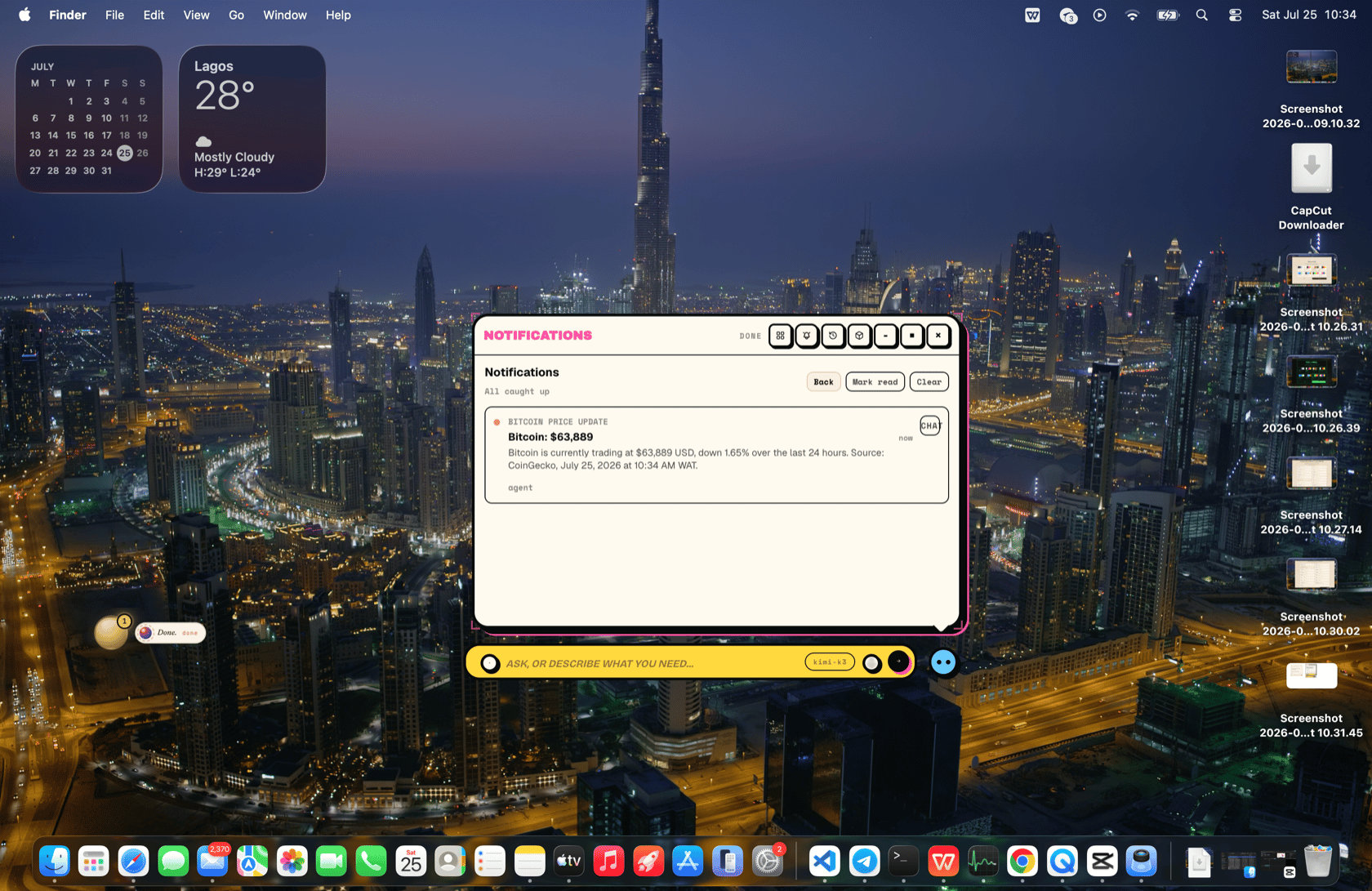
Results land behind the bell on the presence:- The orb badge and a notification chip show unread counts even when the presence is collapsed.
- Open the panel to read, mark read, or delete; new arrivals can play a sound.
- Every notification has Continue in chat — one click opens a fresh conversation seeded with that notification, so a morning digest becomes “now draft replies to the two urgent ones” without re-explaining anything. In the panel, a scheduled job’s result reads like a short report: the job’s name, when it ran, the outcome BOR produced, and the Continue in chat button directly beneath it.
What to say
- “Every morning at 8, check the weather and notify me if I need an umbrella.”
- “Every Friday at 4, pull my GitHub notifications and summarize what needs me.”
- “In 45 minutes, tell me to take the bread out of the oven.”
- “Once a day, fetch my RSS feeds and update the digest app.”
- “What jobs do you have scheduled? Cancel the deploy check.”