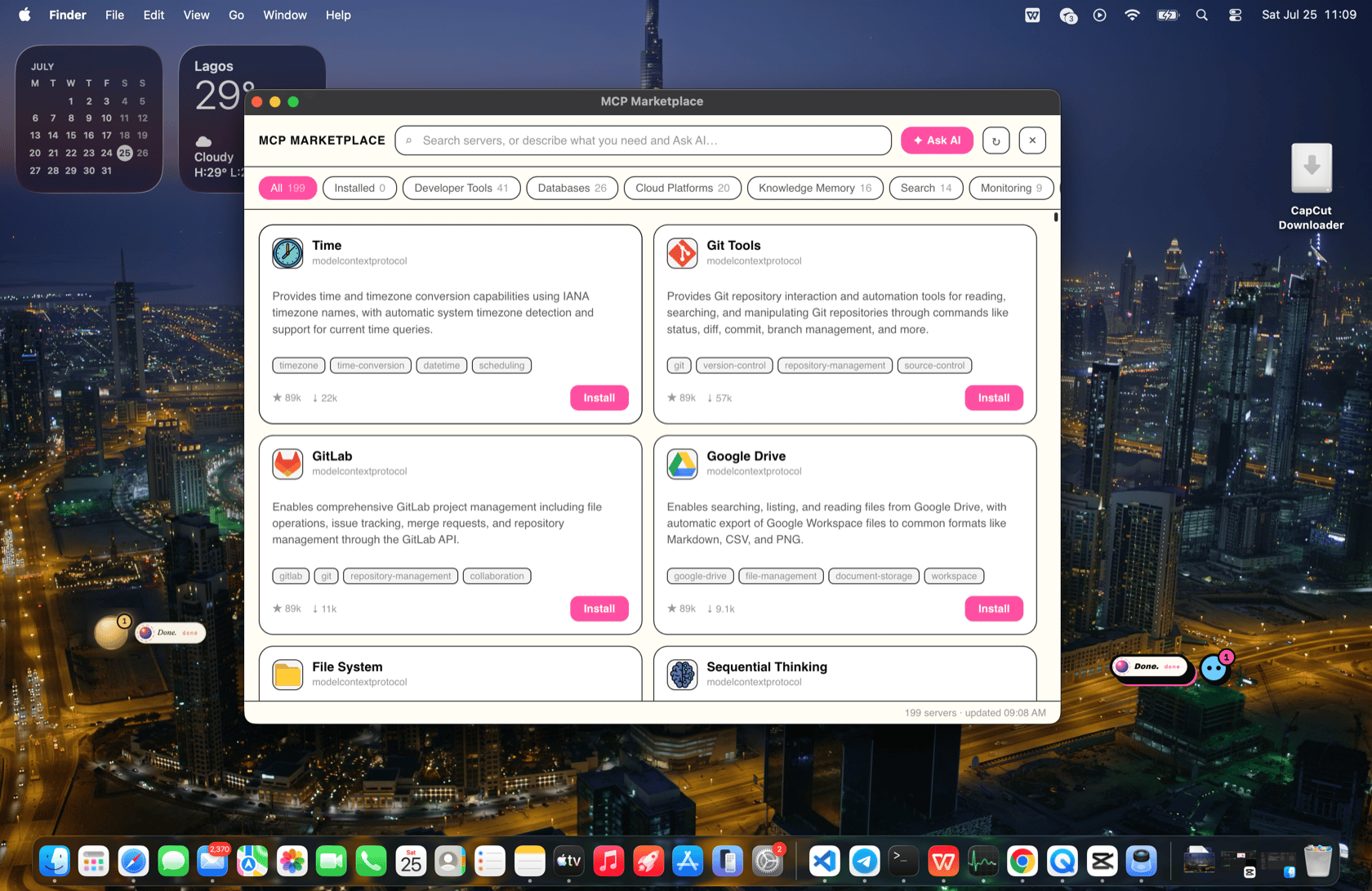
Opening it
Click the package icon in the bubble header. The marketplace opens as its own window, reused across opens (hidden on close, so it reopens instantly). It follows your active theme — the same look as your presence.The catalog
The catalog is the same one Sixth uses — Cline’s hosted MCP marketplace (https://api.cline.bot/v1/mcp/marketplace), ~200 servers strong. The runtime fetches it and caches it server-side (1-hour TTL, serve-stale-on-error), so the page is instant and never blanks out on a network hiccup. Override the source with BOR_MCP_MARKETPLACE_URL if you host your own.
Each server shows a logo, name, author, description, category, tags, GitHub stars, and download count.
Finding a server
Three ways:- Search — type in the search box to filter by name, description, tags, author, or category instantly.
- Category chips — filter by category (developer tools, data, AI, …) or jump to Installed.
- Ask AI — describe what you need in plain language and let the model pick. See Ask AI.
Installing
Click Install on a card. BOR installs it the same way Sixth does — LLM-driven:- The runtime fetches the server’s details (README + install notes) from the catalog.
- It hands the presence a ready-made install task and brings the chat forward.
- The AI reads your existing
.bor/mcp.json(so it never clobbers another server), clones/builds/installs the server if needed (withexecute_command), writes the new server under its id, wires any required env/keys, and — if it can — demonstrates one of the server’s tools.
The server is written to this presence’s .bor/mcp.json. The runtime picks it up — see Configuring servers.
After installing
The new server appears in the Installed filter (the badge refreshes when you reopen the marketplace). BOR can nowlist_mcp_tools and use_mcp_tool against it. If the server needs an API key, the install task tells you exactly which value to provide and where to get it.
Notes
- The marketplace window talks to the runtime through the Electron main process, so there’s no CORS issue and the catalog stays cached.
- Everything is per-presence — installing in one presence doesn’t affect another.