> ## Documentation Index
> Fetch the complete documentation index at: https://docs.bor-os.io/llms.txt
> Use this file to discover all available pages before exploring further.
# Building Apps & Shortcuts
> Ask for software and get it: native Mac windows for full apps, live cards in the bubble for quick tools — saved, relaunchable, and evolvable, with SVGs and generated images on the side.
Bed of Roses builds software on request. Say what you want and it designs, writes, and opens it — no templates, no app store.
 ## Apps: native Mac windows
> "Make me a calorie tracker."
> "Build a CRM for my freelance clients."
> "I want a journal with a mood graph."
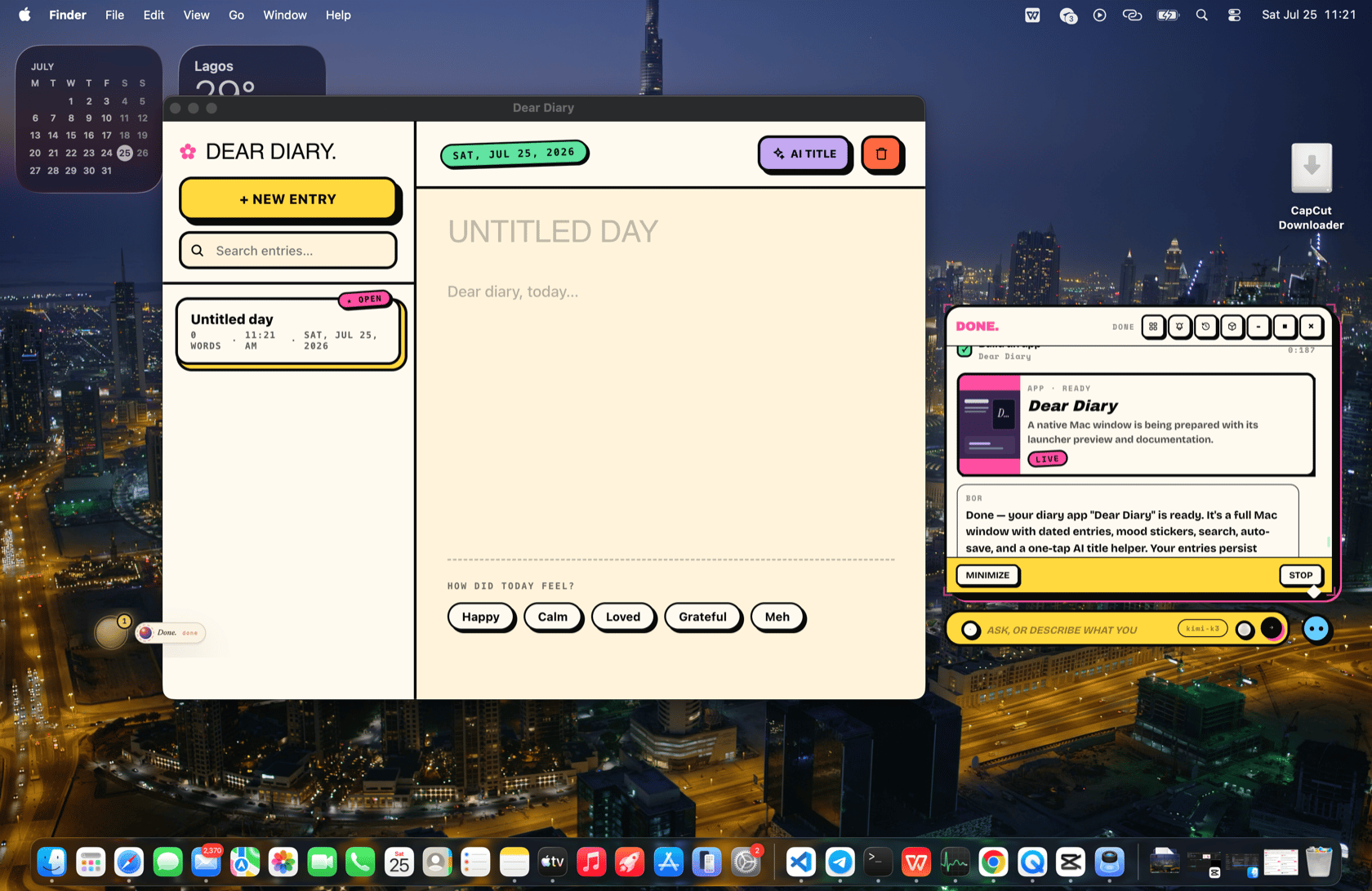
An **app** opens as its own native Mac window you can move, resize, and return to. BOR doesn't ship a bare form — for a real domain it researches what the category should do first, then builds the complete workflow (a calorie tracker gets photo meal capture with AI nutrition estimates, history, goals, and settings — not just a text box).
Apps are living software:
* **State survives.** An app's data persists across sessions and across redesigns. "Add a stats page" or "make it dark" evolves the app in place without losing anything.
* **BOR updates instead of duplicating.** It checks what it has already built for you, so asking twice refines one tracker rather than creating five.
* **Settings live inside the app.** If an app needs an API key or account value, BOR builds a settings screen into the app itself, with instructions for getting the value.
## Your presence remembers what it built
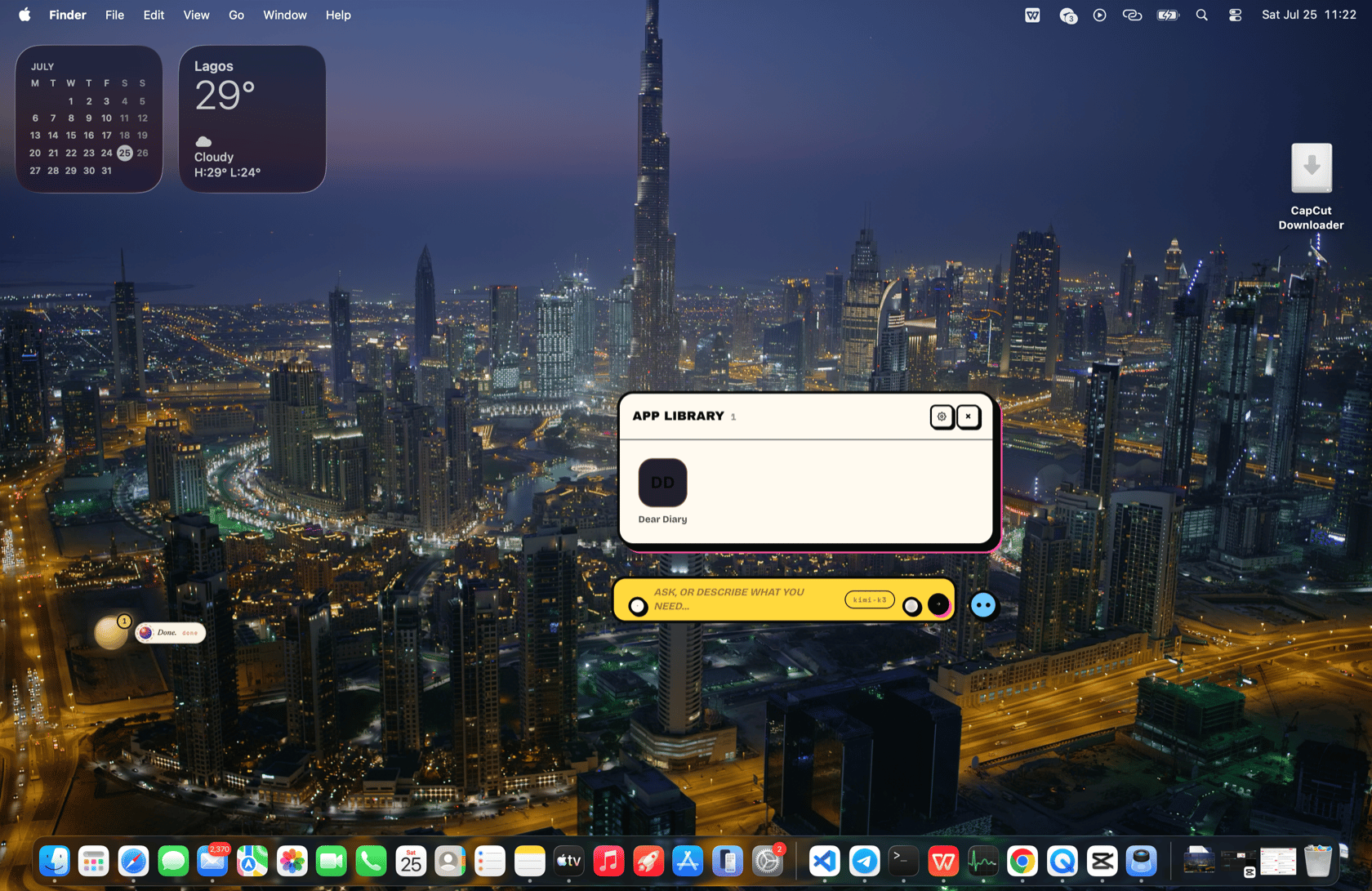
Every app and shortcut is tracked per presence. Ask to "open the meal tracker" or "what apps have you made me?" and BOR launches or lists them. The App Library button in the bubble header shows the whole collection.
## Apps: native Mac windows
> "Make me a calorie tracker."
> "Build a CRM for my freelance clients."
> "I want a journal with a mood graph."
An **app** opens as its own native Mac window you can move, resize, and return to. BOR doesn't ship a bare form — for a real domain it researches what the category should do first, then builds the complete workflow (a calorie tracker gets photo meal capture with AI nutrition estimates, history, goals, and settings — not just a text box).
Apps are living software:
* **State survives.** An app's data persists across sessions and across redesigns. "Add a stats page" or "make it dark" evolves the app in place without losing anything.
* **BOR updates instead of duplicating.** It checks what it has already built for you, so asking twice refines one tracker rather than creating five.
* **Settings live inside the app.** If an app needs an API key or account value, BOR builds a settings screen into the app itself, with instructions for getting the value.
## Your presence remembers what it built
Every app and shortcut is tracked per presence. Ask to "open the meal tracker" or "what apps have you made me?" and BOR launches or lists them. The App Library button in the bubble header shows the whole collection.
 ## Shortcuts: live cards in the conversation
> "Give me a quick currency converter card."
> "A Pomodoro card."
> "A tiny tip calculator."
A **shortcut** is a small, live, stateful card that renders inside the thought bubble — right next to the conversation. Shortcuts have the same power as apps (they can persist state, call the AI, search the web, generate images, schedule jobs, and send notifications through a secured bridge); only the presentation differs. Up to five stay live at once; older ones freeze to a "tap to revive" placeholder.
Rule of thumb: its own window and multiple screens → app; a compact tool beside the chat → shortcut. BOR picks sensibly, and you can always say which you want.
## Design that matches your theme
Before generating any surface, BOR loads the active theme's design handbook, so a Pixel CRT presence gets terminal-green apps and a Liquid Glass presence gets glassy ones. See [Themes](/features/themes).
## SVGs and images
* **SVG generation** — ask for a sticker, logo, mascot, or decorative vector and BOR draws it as clean SVG.
* **Image generation** — with an OpenAI or Gemini key configured, BOR generates images (square, portrait, or landscape) for wallpapers, app art, or anything you ask for. Anthropic keys don't include image generation, so pair one with an OpenAI or Gemini key if you want it.
## Sandboxed by design
Generated apps and shortcuts run in sandboxed frames with no direct access to your disk, network, or keys. Everything real they do goes through a validated bridge to the local runtime — see [The bridge](/features/the-bridge) for the mechanics.
## What to say
* "Build me a habit tracker with weekly streaks."
* "Open the reading list app you made last week."
* "Add an export-to-CSV button to my expenses app."
* "Give me a unit converter card right here."
* "Draw me an SVG mascot for the app."
## Shortcuts: live cards in the conversation
> "Give me a quick currency converter card."
> "A Pomodoro card."
> "A tiny tip calculator."
A **shortcut** is a small, live, stateful card that renders inside the thought bubble — right next to the conversation. Shortcuts have the same power as apps (they can persist state, call the AI, search the web, generate images, schedule jobs, and send notifications through a secured bridge); only the presentation differs. Up to five stay live at once; older ones freeze to a "tap to revive" placeholder.
Rule of thumb: its own window and multiple screens → app; a compact tool beside the chat → shortcut. BOR picks sensibly, and you can always say which you want.
## Design that matches your theme
Before generating any surface, BOR loads the active theme's design handbook, so a Pixel CRT presence gets terminal-green apps and a Liquid Glass presence gets glassy ones. See [Themes](/features/themes).
## SVGs and images
* **SVG generation** — ask for a sticker, logo, mascot, or decorative vector and BOR draws it as clean SVG.
* **Image generation** — with an OpenAI or Gemini key configured, BOR generates images (square, portrait, or landscape) for wallpapers, app art, or anything you ask for. Anthropic keys don't include image generation, so pair one with an OpenAI or Gemini key if you want it.
## Sandboxed by design
Generated apps and shortcuts run in sandboxed frames with no direct access to your disk, network, or keys. Everything real they do goes through a validated bridge to the local runtime — see [The bridge](/features/the-bridge) for the mechanics.
## What to say
* "Build me a habit tracker with weekly streaks."
* "Open the reading list app you made last week."
* "Add an export-to-CSV button to my expenses app."
* "Give me a unit converter card right here."
* "Draw me an SVG mascot for the app."